Latency
REST hooks instead of batch jobs or manual exports — events delivered as they happen.
Advanced Zap for Commerce7 · by 7Labs
Commerce7 is your system of record; Advanced Zap turns customer, order, club, reservation, and product events into instant automation. Events hit Zapier via REST hooks as they happen — not on a slow polling cycle. Write-back actions close the loop in Commerce7.
Install from your Commerce7 admin: Apps → find Advanced Zap → follow the setup guide. Step-by-step on this page →
Built exclusively for Commerce7 wineries & DTC
Commerce7 Zapier
Ship automation in hours, not sprints — one integration for email, CRM, SMS, and thousands of Zapier apps, with data flowing back into Commerce7.
Elevator pitch
React to Commerce7 activity in under a second for live Zaps. One integration surface to Mailchimp, Klaviyo, Slack, Sheets, CRMs, SMS, and thousands of other Zapier apps — with write-backs so tags and profiles stay aligned with what happened everywhere else.
REST hooks instead of batch jobs or manual exports — events delivered as they happen.
Memberships, allocations, pauses, cancels, and high-value orders — without custom code.
Live feed, stats, delivery log, payload inspector, and test events — fewer black-box failures.
Triggers plus actions keep Commerce7 tags and profiles aligned with external tools.
Architecture
Signed webhooks, normalized payloads, deduped deliveries, and real-time pushes to Zapier — plus Commerce7 API actions when your Zaps write back.
Commerce7 sends signed webhooks to your app. The server verifies the signature (HMAC), normalizes payloads, stores events for tests and stats, and dedupes where applicable.
Each event is pushed to subscribed Zaps via REST hooks for real-time runs while the Zap is ON.
Uses polling against the stored event queue. Retention is configurable — default 14 days (not a fixed 7).
Zap actions call the Commerce7 REST API with your winery’s context (API key through the integration).
Triggers
Plus helper dynamic lists (customers, tags, experiences, reservations) for dropdowns in actions — not marketed as standalone business triggers.
| Trigger | When it fires |
|---|---|
| New Customer | New customer account created |
| Updated Customer | Any customer field changes |
| Trigger | When it fires |
|---|---|
| New Order | Order placed or submitted |
| High-Value Order | Order total ≥ $500 (no extra Zapier filter) |
| Trigger | When it fires |
|---|---|
| New Club Membership | Membership created |
| Club Membership Cancelled | Membership cancelled |
| Club Membership Paused | Membership paused |
| Club Membership Resumed | Membership resumed |
| Club Allocation Processed | Club run processed / charged |
| Club Allocation Shipped | Allocation shipped |
| Trigger | When it fires |
|---|---|
| New Reservation | Reservation created |
| Reservation Cancelled | Reservation cancelled |
| Trigger | When it fires |
|---|---|
| New Product | Product created or updated (as exposed by mapping) |
| Tag Added (New Tag) | Tag created / tag event as mapped |
Typical payload themes include customer_id, email, order_id, order_total, club fields, reservation fields, tenant_id, created_at, and more — see field tables in the docs.
Write-backs
Create and update customers, tags, products, and reservations in Commerce7 from any Zap.
| Action | Purpose |
|---|---|
| Create Customer | Create a customer (email, name, phone, birth date, tags, …) |
| Update Customer | Look up by email and update fields |
| Add Tag to Customer | Add tag by name (tag must exist in Commerce7) |
| Remove Tag from Customer | Remove tag from customer |
| Action | Purpose |
|---|---|
| Create Product | Create product (title, type, description, SKU, price, …) |
| Create Product Variant | Add variant to parent product (per shipped Zapier UI) |
| Action | Purpose |
|---|---|
| Create Reservation | Book experience (email, experience_id, date, time, party size, notes) |
| Cancel Reservation | Cancel by reservation_id (optional reason) |
Some tenants require C7_RESERVATION_TENDER_TYPE for Zap-created reservations — see docs.
Embedded app
Opened from Commerce7 → Apps (and optional demo URLs for prospects). The embedded UI matches the live app — stats, feeds, logs, and template browser.
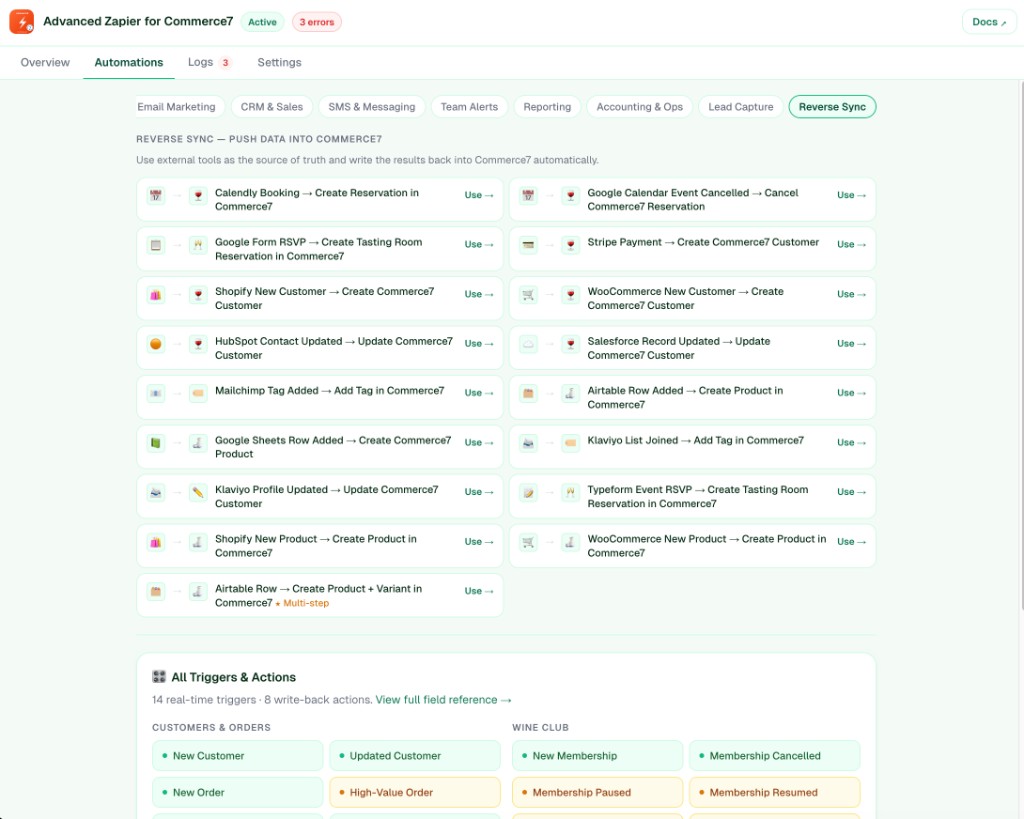
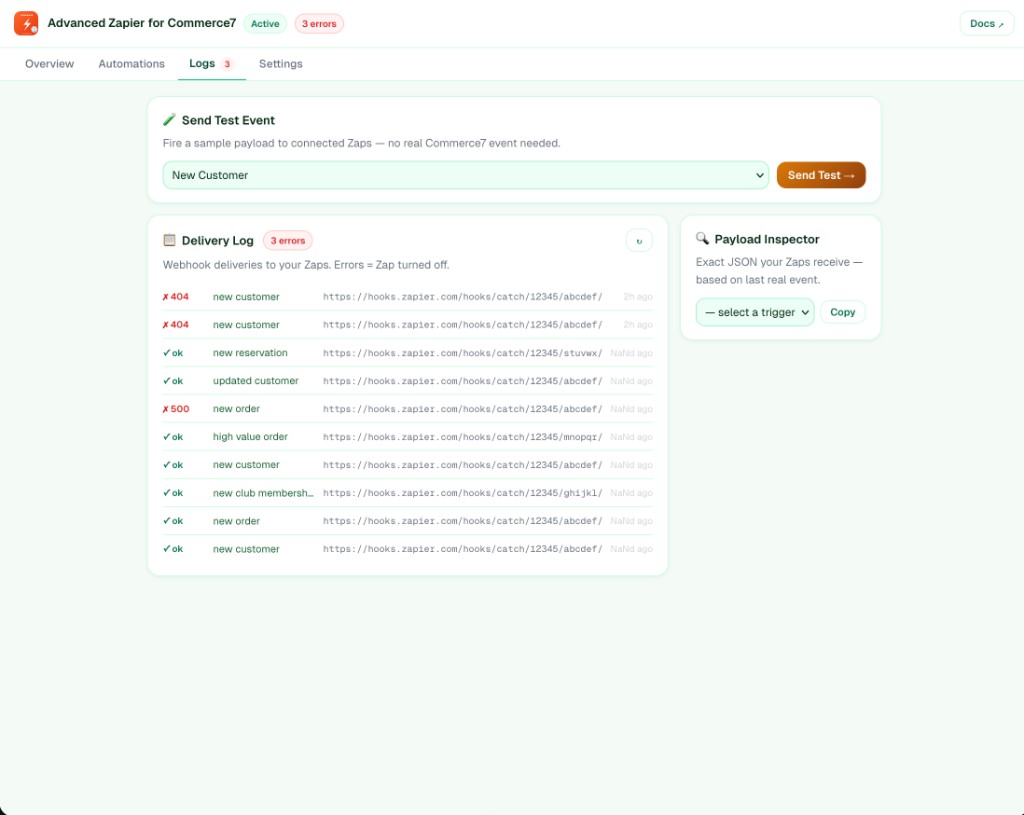
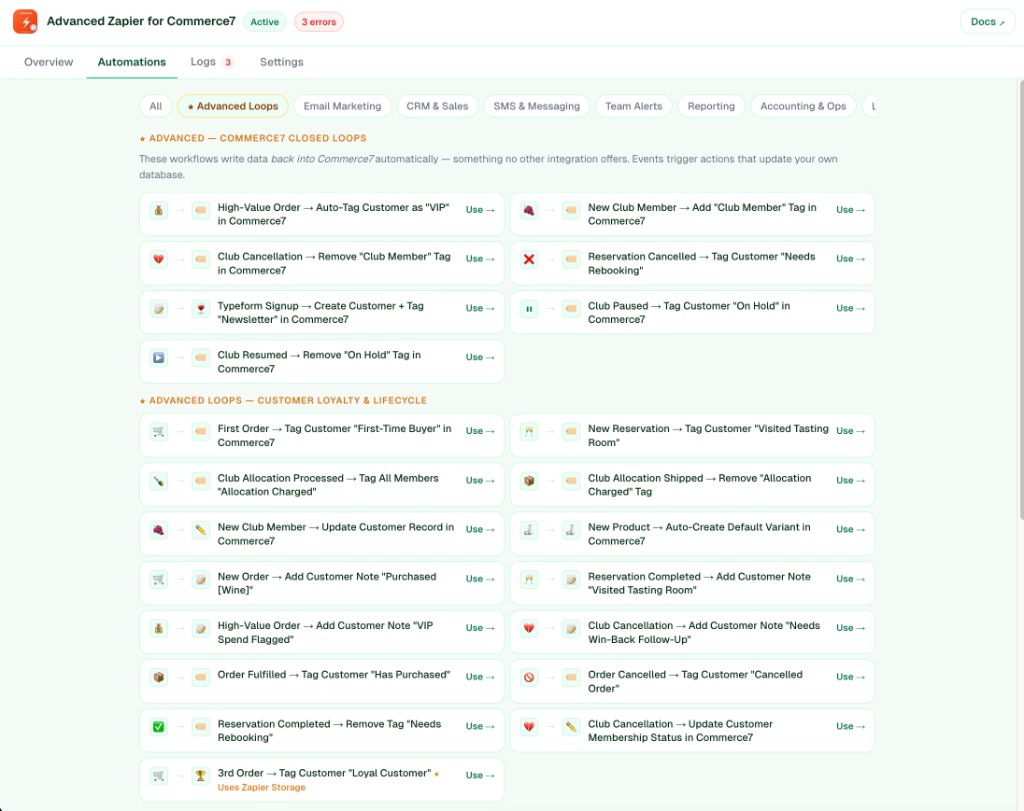
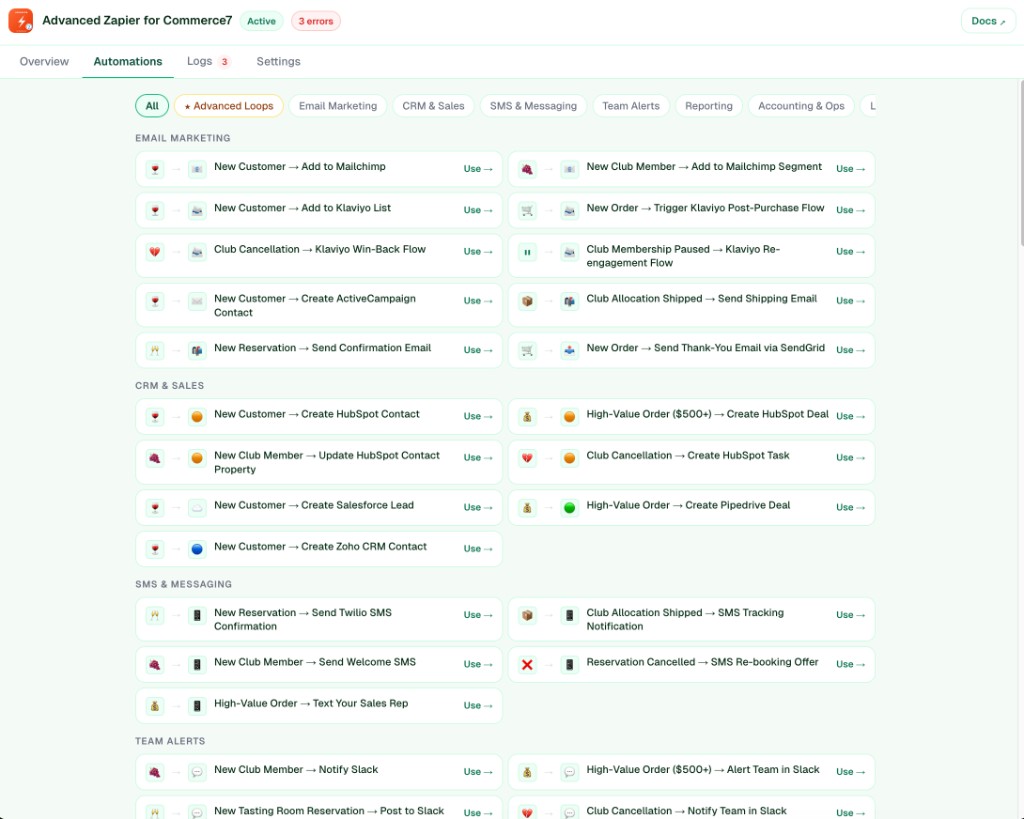
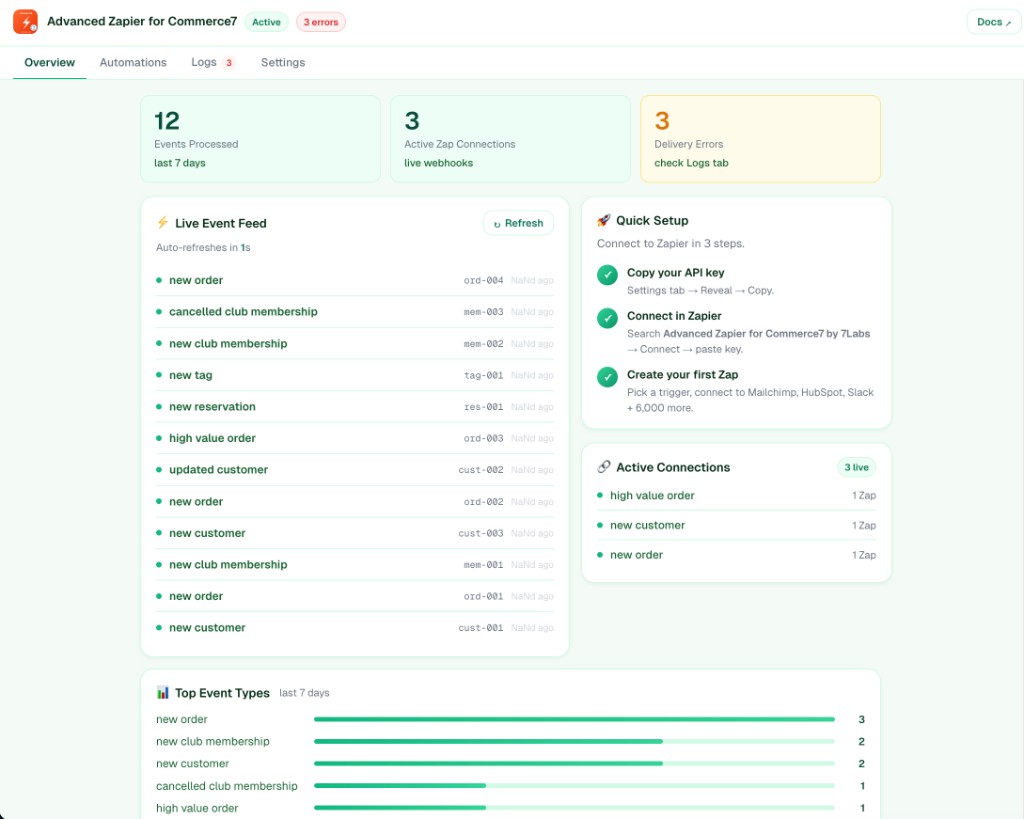
Demo / preview: sample dashboard via your app URL with ?tenantId=demo or routes like /preview or /demo (read-only; depends on deployment).
Examples
Stories you can ship with triggers + actions.
Setup
C7_APP_SECRET on server).NODE_ENV=production for secure cookies and embedded iframe behavior.Requirements & limits
What you need before going live — and the limits that affect tests, stats, and write-backs.
EVENT_RETENTION_DAYS (default 14 days).Support
Email [email protected] — include your winery / tenant ID from the dashboard and, if applicable, the Zapier task ID.
Email support Read the docs